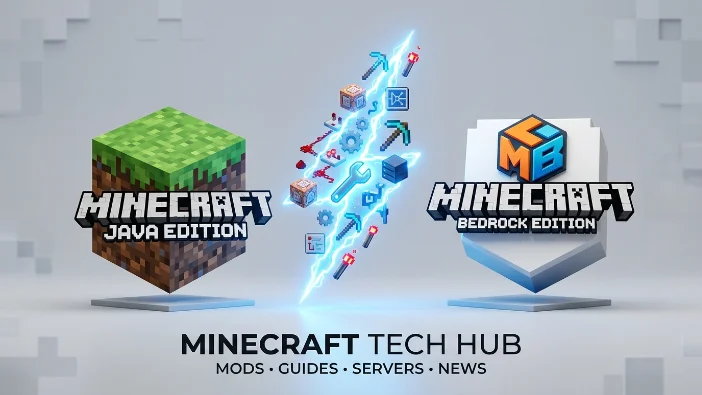
Minecraft actually runs on two separate codebases — Java Edition and Bedrock Edition — and “mods” mean genuinely different things on each. Confusing the two is one of the most common mistakes players make, whether they’re trying to install their first mod or figuring out why a mod they found online won’t work on their device. This guide breaks down exactly how they differ, what each system can and can’t do, and which one fits the platform you’re actually playing on.
Why Two Editions Exist in the First Place
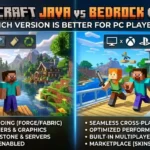
Java Edition is the original — released in 2009 and built on the Java programming language, it’s where Minecraft’s entire modding culture was born. When Mojang expanded to mobile as Pocket Edition and later to consoles, the game was rewritten from scratch in C++ for better performance on limited hardware. In 2017, Mojang unified all of those non-Java versions under one name, Bedrock Edition, and enabled cross-play between Windows, Xbox, PlayStation, Switch, iOS, and Android for the first time. The two editions still receive the same content updates today, but they remain genuinely different codebases under the hood — which is the root cause of every modding difference that follows.
How Java Mods Actually Work
Java mods are installed through mod loaders — primarily Forge and Fabric — which sit between the base game and the mod files, letting them hook directly into the game’s code. This gives Java mods enormous depth: entirely new dimensions, complex machinery, AI-driven mobs, and total game-mechanic overhauls are all possible, and a skilled modder can rewrite nearly any part of the game. Installing one typically means downloading the loader, dropping .jar mod files into a designated folder, and launching through a custom profile. Because mods are tied closely to a specific Minecraft version, they often need updating after a game update, and running several mods together can occasionally cause conflicts that require compatibility patches.
How Bedrock Add-Ons Actually Work
Bedrock doesn’t support code-level mods the way Java does. Instead, it uses Add-Ons — behavior packs and resource packs built with JSON files and a sandboxed Script API rather than direct code access. Behavior packs can change how mobs act, add new items, or adjust game rules; resource packs handle how things look and sound. Add-ons are generally easier for beginners to install and tend to remain stable across version updates, but they operate within limits the engine defines — fully custom dimensions or deeply complex scripting, both routine in Java, are far more restricted here. This is also the technical reason Bedrock is the platform where “Mod APK” downloads exist: since true code-level mods aren’t natively supported, third-party developers repackage the entire APK itself to inject changes, rather than layering an add-on on top of an unmodified game.
Redstone, World Files, and Why Tutorials Don’t Transfer
Beyond mods themselves, Java and Bedrock diverge in ways that directly affect modded and vanilla play alike. Java’s redstone is deterministic — a circuit that works once will almost always work the same way again, which is why most advanced farms and technical builds are designed specifically for Java. Bedrock’s redstone behaves less predictably by design, so Java-based tutorials often need adjustment before they’ll work correctly there. The two editions also use entirely different world file formats — Java uses Anvil, Bedrock uses LevelDB — so a Java world folder cannot simply be copied into Bedrock’s save directory. Third-party converters like Chunker can transfer basic vanilla worlds, but builds with command blocks, modded blocks, or complex redstone frequently break or need to be rebuilt after conversion.
Servers and Cross-Play: Two Separate Ecosystems
Java and Bedrock don’t connect natively — different engines and communication protocols mean a Java server can’t be joined directly from Bedrock, or vice versa. Major public servers like Hypixel run exclusively on Java’s open protocol, and Java’s modding-adjacent server software (Spigot, Paper, Forge, Fabric) gives operators far more control over plugins and world tools. Bedrock’s strength runs the other way: Xbox, PlayStation, Switch, iOS, Android, and Windows players can all join the same Bedrock world together with just a Microsoft account, something Java alone can’t do. Third-party bridges like GeyserMC exist to let Bedrock players join Java servers, but that’s an added layer, not a native feature of either edition.
Skins, Marketplace, and How Content Gets Distributed
Java Edition skins are limited to 2D, single-layer designs, and virtually all mods, shaders, and texture packs are distributed for free through community platforms like CurseForge and Modrinth — nothing is officially curated, so it’s on the player to vet a mod pack before installing it. Bedrock instead supports 3D, layered skins and animated accessories, and its content — skins, maps, texture packs, add-ons — is distributed primarily through the official Minecraft Marketplace, a curated storefront where creators are paid directly rather than distributing free community files. This is also a meaningful safety distinction: Marketplace content is reviewed before publication, while Java’s open, unregulated mod ecosystem and Bedrock’s third-party Mod APK space both place the vetting responsibility on the player.
One Thing Only Java Can Do: Play Any Past Version
Java players can install and run any historical release from the Minecraft Launcher, from the earliest builds to the current version — useful for speedrunning a specific patch, revisiting an old modpack, or playing a challenge map built for a particular update. Bedrock has no equivalent; it only runs the current stable release or an optional preview/beta build, with no way to roll back. If a mod or modpack you want to use was built for an older Minecraft version, that flexibility exists only on Java.
Common Mistakes Players Make Between the Two
- Downloading a Java
.jarmod expecting it to work on mobile — it won’t; Bedrock has no execution environment for Java mod code. - Assuming “Add-On” and “mod” are interchangeable terms — Mojang uses “Add-On” specifically for Bedrock’s JSON-based system, while “mod” traditionally refers to Java’s code-level modifications.
- Installing multiple Forge and Fabric mods together without checking loader compatibility, a common cause of Java crashes.
- Assuming a Mod APK is a “Bedrock mod” in the same sense as a Java mod — it’s technically a different category, since it replaces the entire app rather than extending an unmodified one.
- Copying a Java world into Bedrock (or the reverse) and expecting it to load — the file formats are fundamentally incompatible without a conversion tool.
Which One Should You Actually Use
If you want deep, unrestricted customization, deterministic redstone, and access to the largest server communities, Java Edition with Forge or Fabric remains the more powerful and more established modding ecosystem. If you’re on mobile or console and want cross-platform play with curated, officially vetted content, Bedrock’s Add-On system and Marketplace are the intended path, and neither requires replacing the entire app the way a Mod APK does. Both Forge/Fabric and Bedrock Add-Ons are officially accepted paths to customization, unlike a repackaged Mod APK, which sits outside both systems and outside Mojang’s Terms of Service. For the safest and most current version of either edition, downloads are always available through the official Minecraft website.
FAQs
Can I use Java mods on Bedrock Edition?
No. Java mods are .jar files that hook directly into Java’s code through Forge or Fabric, and Bedrock has no execution environment capable of running them. You’d need a Bedrock Add-On built specifically for that engine instead.
Why doesn’t my Java world load in Bedrock?
Java and Bedrock use completely different world file formats — Anvil for Java, LevelDB for Bedrock — so a world folder can’t simply be copied over. A conversion tool like Chunker can transfer basic vanilla worlds, though complex redstone or modded blocks often don’t survive the process intact.
Is Bedrock Edition getting real mod support anytime soon?
Bedrock’s Script API has expanded what add-ons can do over time, but it remains sandboxed by design and isn’t intended to match Java’s direct code-level access. There’s no indication Mojang plans to replace this system with full mod support.
Can Java and Bedrock players play together?
Not natively — the two use different engines and protocols. Third-party tools like GeyserMC can bridge Bedrock players onto Java servers, but that’s an added layer rather than a built-in feature of either edition.
Which edition should a new player pick if they’re unsure?
If cross-platform play with friends matters most, Bedrock is the simpler choice. If deep customization, technical redstone, or joining large PC server communities matters more, Java is the better starting point — and on Windows, owning one now grants access to both.